

How to Use Lambda i8 Device Complete Beginner Guide

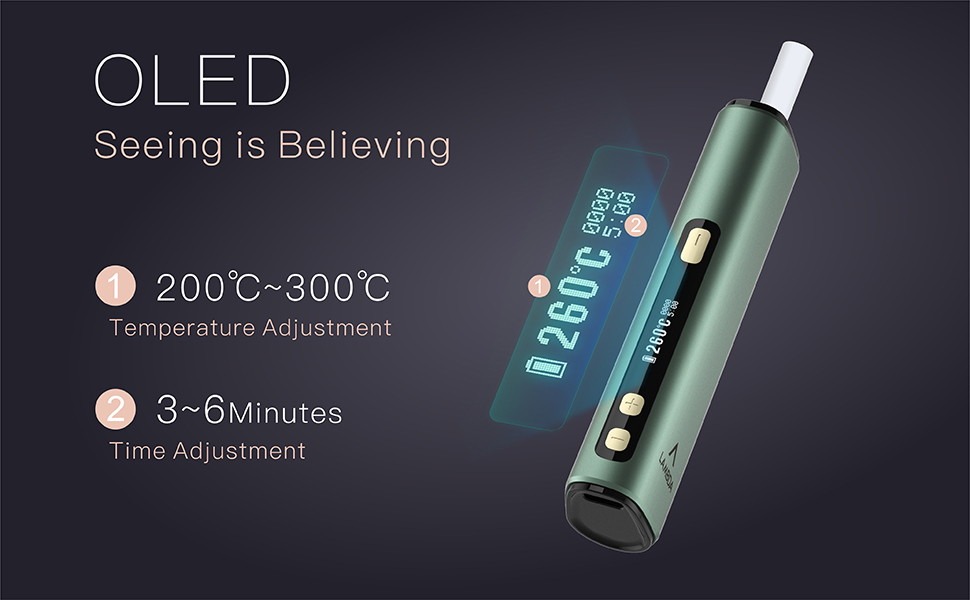
Lambda i8 Device is a modern, user-friendly vaping device designed for convenience, portability, and smooth performance. Whether you are new to vaping or switching from another device, understanding how to properly use the Lambda i8 will help you get the best experience while also extending the device’s lifespan.
This guide will walk you through everything—from basic setup to advanced usage tips—so you can use the Lambda i8 device safely and efficiently.
Understanding the Lambda i8 Device
Before using the device, it’s important to know its main components and how it works.
The Lambda i8 is typically a compact pod system or disposable-style rechargeable device that includes:
- A built-in rechargeable battery
- Pre-filled or refillable pod (depending on variant)
- Integrated coil system
- Draw-activated or button-activated firing mechanism
- Charging port (usually USB Type-C)
The device works by heating e-liquid inside the pod to produce vapor when you inhale or press the firing button.
Unboxing and First Setup
When you first receive your Lambda i8 device, follow these steps:
1. Check the Contents
Make sure the package includes:
- The Lambda i8 device
- A pod or cartridge (pre-installed or separate)
- Charging cable (if included)
Inspect the device for any visible damage before use.
2. Remove Protective Seals
Most new devices come with silicone plugs or stickers to prevent leakage during shipping. Remove:
- Mouthpiece seal
- Bottom airflow seal (if present)
- Any protective films
Failing to remove these can block airflow or prevent the device from working.
3. Charge the Device
Even if the device comes partially charged, it’s best to fully charge it before first use.
- Connect the device to a charger using the provided cable
- Plug into a reliable power source
- Wait until the indicator light shows full charge
Charging usually takes 30–60 minutes depending on battery capacity.
How to Use the Lambda i8 Device
Step 1: Insert or Check the Pod
If your Lambda i8 uses pods:
- Insert the pod firmly into the device
- Ensure it clicks or sits securely
- Do not force it
If it’s pre-installed, simply check that it is properly seated.
Step 2: Prime the Coil (Important for First Use)
If the device uses a refillable pod:
- Fill the pod with e-liquid
- Let it sit for 5–10 minutes
This allows the coil to absorb liquid and prevents a burnt taste.
If it’s pre-filled, you can skip this step.
Step 3: Power On the Device (If Applicable)
Some Lambda i8 devices are draw-activated and require no buttons.
Others may require:
- Pressing the power button 5 times quickly to turn on
Check if the indicator light turns on.
Step 4: Start Vaping
To use the device:
- Place the mouthpiece between your lips
- Inhale slowly and steadily
If it’s button-activated:
- Press and hold the button while inhaling
Avoid taking very strong or fast puffs, especially at the beginning.
Understanding Indicator Lights
The Lambda i8 device may use LED lights to show status:
- White/Green light – Normal operation
- Red light – Low battery
- Blinking light – Connection issue or safety warning
Learning these signals helps you understand when to charge or troubleshoot.
Charging the Device Properly
To maintain battery health:
- Use the correct charging cable
- Avoid overcharging (disconnect after full)
- Do not charge overnight regularly
- Keep away from heat while charging
If the device gets warm during charging, that’s normal—but excessive heat is not.
Refilling the Pod (If Refillable)
If your Lambda i8 has a refillable pod:
Steps:
- Remove the pod from the device
- Locate the fill port (usually covered with a rubber plug)
- Open the plug carefully
- Fill with e-liquid (do not overfill)
- Close the plug securely
- Reinsert the pod
Let it sit for a few minutes before vaping.
How to Get the Best Performance
1. Take Proper Puffs
- Use slow and steady draws
- Avoid chain vaping (continuous puffs without breaks)
This prevents overheating and extends coil life.
2. Store the Device Properly
- Keep upright when possible
- Avoid extreme heat or cold
- Do not leave in direct sunlight
Proper storage prevents leakage and battery damage.
3. Clean the Device
Occasionally clean:
- Pod connection area
- Mouthpiece
Use a dry tissue or cotton swab. Do not use water.
Common Problems and How to Fix Them
1. No Vapor
- Check battery level
- Ensure pod is properly inserted
- Clean connection points
2. Burnt Taste
- Let the pod rest if overused
- Refill e-liquid if low
- Replace pod if coil is burnt
3. Leaking Pod
- Avoid overfilling
- Keep device upright
- Ensure seals are tight
4. Device Not Charging
- Try another cable
- Clean charging port
- Use a different power source
When to Replace the Pod or Device
Pods do not last forever. Replace the pod if:
- Flavor becomes weak
- Vapor production drops
- Burnt taste appears
If the device itself stops working completely despite troubleshooting, it may need replacement.
Safety Tips
- Do not open the device
- Keep away from water
- Use only compatible pods
- Avoid dropping the device
- Keep out of reach of children
Advanced Usage Tips
Once you are comfortable using the Lambda i8, you can improve your experience:
1. Choose the Right E-liquid
- Nicotine strength should match your preference
- Higher nicotine = stronger throat hit
- Lower nicotine = smoother experience
2. Monitor Usage
Keep track of:
- How often you vape
- Battery life
- Pod lifespan
This helps you maintain consistent performance.
3. Avoid Overuse
Overusing the device can:
- Burn the coil
- Reduce battery life
- Affect flavor quality
Take short breaks between sessions.
Final Thoughts
The Lambda i8 Device is designed to be simple, efficient, and beginner-friendly. With proper usage and care, it can deliver a smooth and enjoyable vaping experience.
Most issues users face are minor and can be easily fixed with basic troubleshooting. By following correct steps—such as proper charging, careful pod handling, and controlled usage—you can significantly extend the life of your device.