

IQOS ILUMA Not Charging? Common Causes Explained

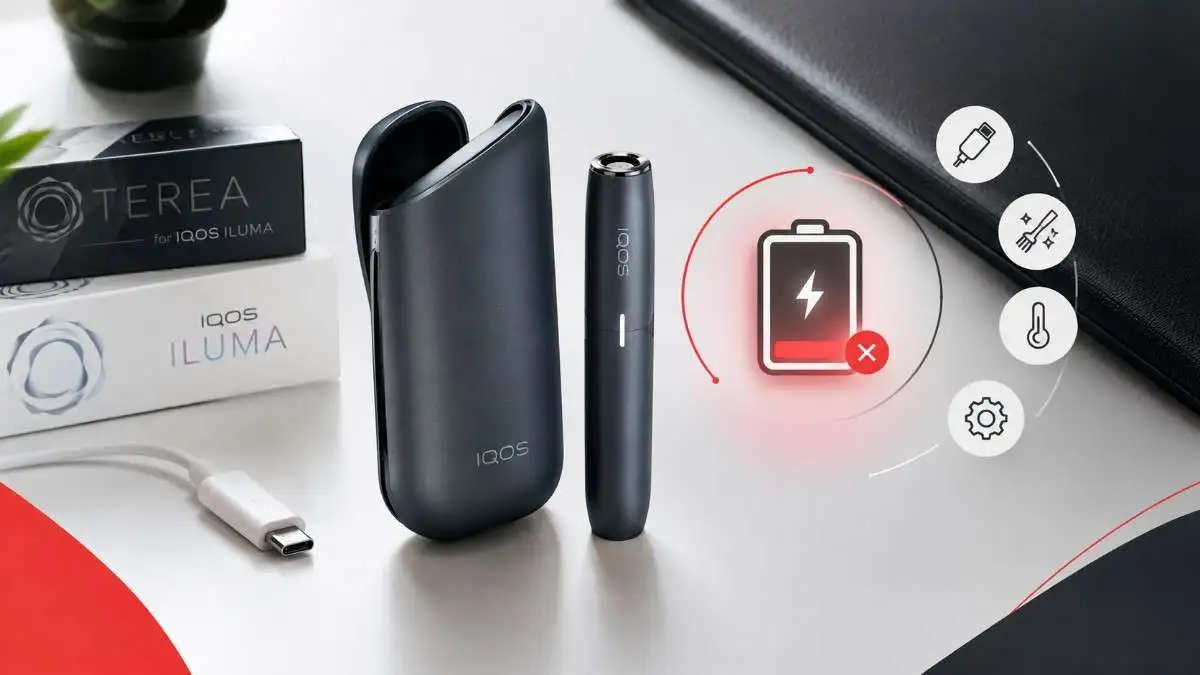
You reach for your device and nothing happens. No lights, a stubborn red blink, or a holder that stays dark inside the case. It always seems to happen right before you leave the house.
Here is the reassuring part. A charging fault on an IQOS ILUMA not charging rarely means the device is finished. In most cases the cause is small and fixable: dust on the contacts, a tired cable, a holder that is not seated properly, heat, or a software freeze.
This guide helps you work out which part is failing, fix it in the right order, and know when to stop and contact support.
Quick Answer
If your IQOS ILUMA is not charging, work through these checks in order:
- Plug into a working wall outlet with the original USB-C cable and a compatible 5V/2A adapter.
- Gently blow dust out of the USB-C port. Never push anything metal inside.
- Wait up to 20 minutes. A flat battery can take that long to show any light.
- Wipe the contacts between holder and case with a soft, dry cloth.
- Re-seat the holder fully and close the door or wrap.
- Let the device reach room temperature (safe range: 0°C to 40°C).
- Reset the device using the method for your exact model.
If nothing works, or you see damage, liquid or unusual heat, stop and contact IQOS support.
Step 1: Identify Your Model
The fix depends on which ILUMA you own, because the charging setup differs.
| Model | How it charges | Where to look first |
|---|---|---|
| ILUMA / ILUMA PRIME | Holder inside a Pocket Charger | Case lights, then holder contacts |
| ILUMA i / ILUMA i PRIME | Holder inside a Pocket Charger | Case lights, holder contacts, Touch Screen |
| ILUMA ONE | One-piece device, no case | Wall supply and USB-C port |
| ILUMA i ONE | One-piece device, no case | Wall supply and USB-C port |
Two useful notes:
- On a ONE model there is no separate case or holder to test. The cable, adapter and port are the main suspects.
- An older IQOS 3 DUO pocket charger will not charge an ILUMA holder.
Step 2: Find the Part That Is Failing
Briefly press the button on the Pocket Charger to check its status.
- Case shows no lights: the problem is the power source, cable, port or a deeply drained case battery.
- Case lights up but the holder stays dark: the problem is usually seating or dirty contacts.
- ILUMA i holder flashes a “0” three times: the holder is discharged. Charge the case first, then leave the holder inside until at least one holder status light turns solid white.
- ONE or i ONE gives no response: check the cable, adapter and port directly.
This simple triage also stops you replacing the wrong part.
What the Lights Mean
Light patterns vary by model, so treat this as a guide rather than a diagnosis.
| What you see | What it usually means | What to do |
|---|---|---|
| No light at all | Flat battery, no power, or a faulty cable or adapter | Use a wall outlet and wait up to 20 minutes |
| Pulsing white on the case strip | Charging normally | Let it finish |
| Yellow or amber blinking | Low battery, or charging has just started from a deep discharge | Keep charging. It turns white once the case has enough charge |
| Strip lights solid white | Fully charged | Ready to use |
| 3 blinking white lights on the holder | Holder is outside its safe temperature range | Let it warm up or cool down indoors |
| 8 blinking white lights on the holder | Holder has only one use left | Recharge it |
| Red or blinking red | A general fault, such as a software freeze or connection problem | Cool down, check the cable, then reset |
IQOS does not publish one single meaning for every red-light pattern. If you see red, work through the steps below in order rather than guessing from colour alone.
Why Your IQOS ILUMA Is Not Charging
Dirty contacts
Pocket lint, dust and tobacco crumbs build up on the small contacts between holder and case. Even a thin film can break the connection.
A faulty or unsuitable cable or adapter
Cables wear out. Very cheap or uncertified adapters can give unstable power. For the ILUMA i series, IQOS accepts a compatible third-party 5V/2A adapter with a safety certification mark. For a standard ILUMA, IQOS recommends the cable and adapter that came with it.
A weak power source
Laptop USB ports, car sockets and shared multi-port chargers often deliver less current than the device expects. That causes slow charging or none at all.
A blocked USB-C port
Dust and lint collect quickly in pockets and bags. In the UAE, fine desert dust makes this more common.
The holder is not seated properly
If the holder is not fully in place, or the door or wrap does not close, the contacts will not meet and charging will not start.
Heat or cold
The device is designed for 0°C to 40°C. Outside that range, charging can slow or pause. A hot car or direct sunlight is a common trigger in the UAE.
A deeply drained battery
If the device sat unused for days, it may show nothing at first. Give it time on a wall outlet.
A software freeze
Sometimes the device simply stops recognising power. A reset usually clears this.
Battery wear
All rechargeable batteries lose capacity over time. If the problem keeps returning, the battery may be ageing.
Unique Charging Hurdles Not Often Discussed
Beyond standard contact dust and cable errors, a few lesser-known factors can interrupt your device power cycle:
1. Wall Adapter Voltage Protocol Mismatch
Modern high-wattage smartphone fast chargers (such as 65W or 120W USB-PD bricks) use aggressive power-negotiation chips. When plugged directly into these high-output adapters, an IQOS ILUMA internal charging circuit may reject the input stream as a safety precaution, resulting in a blinking red warning light or zero power intake. Sticking strictly to standard 5V/2A certified blocks avoids this mismatch.
2. Pocket Charger Magnetic Debris Intereference
Because the ILUMA series relies on magnetic seating to lock the holder into place, tiny metallic dust particles or micro-shards floating around in bags and pockets can get trapped right against the bottom magnet. This invisible barrier creates a microscopic gap, preventing the spring-loaded internal contact pins from pressing flush against the holder base.
3. Micro-USB Port Oxidation from Regional Humidity
The high ambient humidity across coastal areas in Dubai and Sharjah accelerates metal oxidation inside exposed electronic ports. Even if no physical dirt is visible, an invisible microscopic layer of surface corrosion can form over the gold-plated USB-C pins, creating high electrical resistance that stops standard current flow.
Step-by-Step Fixes
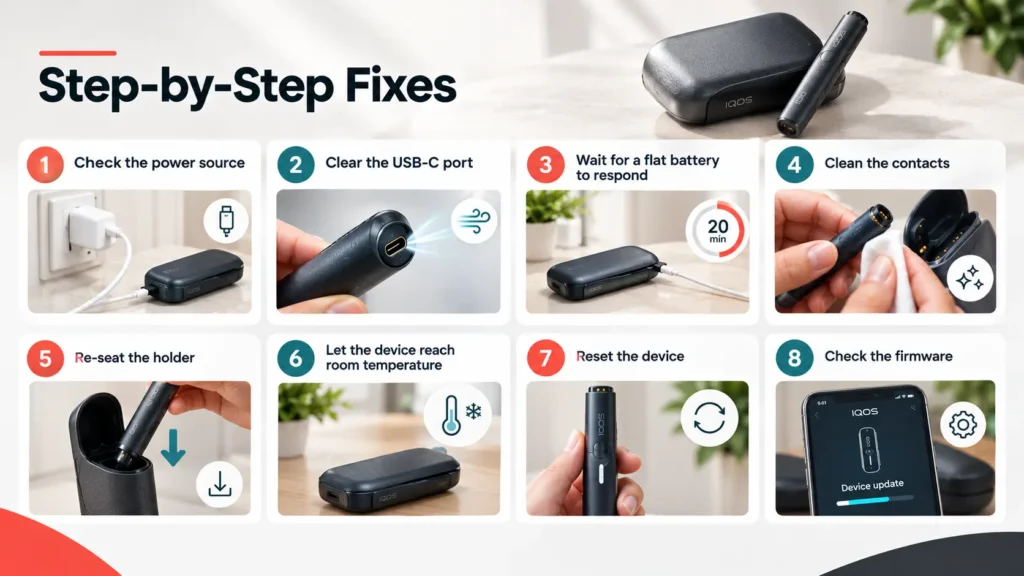
Step-by-Step IQOS Fixes Guide
Fix 1: Check the power source
Use the original cable and a compatible 5V/2A adapter in a working wall outlet. Skip laptops, power banks and car chargers while troubleshooting. If you have another known-good cable or adapter, swap it in to rule out the accessory.
Fix 2: Clear the USB-C port
Unplug the device. Look into the port. Blow gently from a short distance to remove dust. Do not use pins, needles or any metal object.
Fix 3: Wait for a flat battery to respond
Reconnect to a wall outlet and leave it for up to 20 minutes. Allow the longer window before concluding anything. This is waiting time for the first light, not the full charge time.
Fix 4: Clean the contacts
Unplug the case. Remove the holder. Gently wipe the contacts on the holder and inside the case with a soft, dry cloth or dry cotton swab. Do not use water, alcohol or cleaning liquids, and do not scrape the contacts.
ILUMA’s bladeless heating chamber does not need the cleaning routine older IQOS models required. This step is only about the charging contacts.
Fix 5: Re-seat the holder
Push the holder fully into the case until it sits at the bottom. Make sure the door or wrap closes completely. Do not force it.
Fix 6: Let the device reach room temperature
Bring it into an air-conditioned room for 15 to 20 minutes. Do not use a fridge, hair dryer or heater to speed this up. Never charge it in direct sunlight or in a parked car.
Fix 7: Reset the device
A reset clears most software freezes and does not erase your settings. Follow the method for your model:
| Model | How to reset |
|---|---|
| ILUMA / ILUMA PRIME | Put the holder in the case. Hold the case button for 10 seconds until the lights dim, then release. The lights blink to confirm and come back on. |
| ILUMA i / ILUMA i PRIME | Same method. Hold for 10 seconds with the holder inside. The lights go off and return to confirm. |
| ILUMA ONE | Hold the device button for about 7 seconds, then release. The lights blink to confirm. |
| ILUMA i ONE | Official IQOS pages differ between 7 and 10 seconds. Check the guide for your device or the IQOS diagnostic tool in your country. |
Tips:
- Keep the button held until the lights fully dim. Letting go too early cancels the reset.
- If the reset does nothing, charge the device for at least 30 minutes and try again while it is plugged in.
- Do not repeat resets over and over. One retry is enough.
Fix 8: Check the firmware
Sometimes the internal microchip experiences a logic freeze. The charger stops accepting power until you clear the memory error.
Fix 9: Use the official diagnostic tool
IQOS offers an online troubleshooting tool for each ILUMA model. If you are eligible, it can also guide you toward a replacement.
How Long Should Charging Take?
| What | Typical time |
|---|---|
| Pocket Charger, empty to full (ILUMA and ILUMA i) | About 2 hours 15 minutes (135 minutes) |
| First light on a completely drained case | Up to 20 minutes |
| Holder recharge inside the case | About 5 minutes for two uses. It can take up to 10 minutes after first use or long inactivity |
| ILUMA ONE / i ONE, empty to full | About 90 minutes (reported by UAE retailers, so check your model guide) |
A healthy Pocket Charger can recharge the holder roughly 20 times before it needs plugging in itself. If yours manages only one or two, the battery is likely worn.
Charging can also look slow on purpose. The ILUMA i uses thermal protection and a FlexBattery setting. In Eco mode it deliberately limits charging to protect long-term battery health, which can look like charging has paused.
Charging Tips for UAE Conditions
- Heat: do not leave the device in a parked car, on a dashboard or in direct sun. If it has been hot, let it cool for 10 to 15 minutes before plugging in.
- Dust: wipe the contacts and blow out the port once a week.
- Air conditioning: charge indoors where temperatures are stable.
- Magnets: keep the case away from strong magnets, such as magnetic phone cases or car mounts, if you notice charging acting oddly.
Can You Use Any Charging Dock?
Not all docks fit all models. Retailer guides report that the standard charging dock suits the original ILUMA, while the ILUMA ONE has its own dock, and a separate holder dock exists for ILUMA and ILUMA PRIME. ILUMA does not support true wireless charging. The magnetic docks use a physical connector, so they still need to sit correctly. Always check compatibility before buying.
When to Stop Troubleshooting
Stop charging and contact IQOS support if you notice any of the following:
- The case, cable or port looks damaged.
- The device has been exposed to liquid.
- The battery appears to be leaking or swelling.
- The device becomes unusually hot while charging.
- No light appears on a working wall outlet after 20 minutes, a reset and a known-good cable.
- The red light returns again and again.
Do not open the housing or try to replace the battery yourself. The battery is sealed, and unapproved repairs can void your warranty.
When It May Be Time to Replace the Device
A replacement makes sense when:
- You have tried every fix above and nothing helps.
- Battery problems keep returning.
- The device is physically damaged.
- The pocket charger holds only one or two charges.
- The device is out of warranty and repair is not practical.
If you do replace it, choose an authentic device from a trusted seller. You can browse IQOS ILUMA I devices with delivery across Dubai, Sharjah, Ajman and Abu Dhabi.
How to Prevent Charging Problems
- Use the original cable and adapter, or a certified compatible 5V/2A adapter.
- Charge from a wall outlet, not a laptop or power bank.
- Wipe the contacts weekly with a dry cloth.
- Keep the device out of heat and direct sunlight.
- Do not leave the holder in a case that has run completely flat for days.
- Install firmware updates when prompted.
- Keep the device away from liquids.
Frequently Asked Questions
Why is my IQOS ILUMA not charging?
The most common causes are dirty contacts, a faulty cable or adapter, a holder that is not seated properly, heat, or a software freeze. Check the power source first, then the contacts, then reset.
Why is my IQOS ILUMA blinking red?
It often points to a software freeze, a connection problem or a temperature issue. Let the device cool, check your cable, then reset it.
What does a flashing 0 mean on the ILUMA i?
Three flashes of the 0 on the holder’s Touch Screen mean the holder is discharged. Charge the case, then leave the holder inside until a holder status light turns solid white.
How long does an IQOS ILUMA take to charge?
The pocket charger takes about 2 hours 15 minutes from empty. The holder usually recharges in about 5 minutes.
Can I use any USB-C charger?
A plug that physically fits is not always suitable. For the ILUMA i series, IQOS accepts a compatible 5V/2A adapter with a safety certification mark. Avoid uncertified or damaged accessories.
Does heat stop my IQOS from charging?
Yes. The device is designed for 0°C to 40°C. Outside that range it can slow or pause charging to protect the battery.
Is it safe to charge overnight?
IQOS devices have built-in protection that stops charging when full. Still, avoid charging in heat or sunlight, and unplug it if it feels unusually hot.
What if my reset is not working?
Charge the device for at least 30 minutes, then try again while it is plugged in. If it still does not respond, contact IQOS support rather than repeating the reset.
Should I replace the battery myself?
No. The battery is sealed and there are no user-serviceable parts. Opening the device is unsafe and can void your warranty.
Can I smoke IQOS while it’s charging?
No. You cannot use the holder or heat a stick while the pocket charger is plugged into an electrical outlet.
Final Thoughts
Most IQOS ILUMA not charging problems come down to a short list: power source, port, contacts, seating, temperature and a reset. Work through them in order, use the right reset for your model, and give a flat battery time to wake up. If the device still will not respond, or you see damage or heat, contact IQOS UAE support instead of risking further harm.