

How Long Does an IQOS ILUMA Take to Charge? Full UAE Guide & Charging Times

Just picked up a device from the IQOS ILUMA series? Or are you moving up to the newer IQOS ILUMA i collection? Either way, it helps to know your IQOS ILUMA charge time so your battery never dies on you at a bad moment.
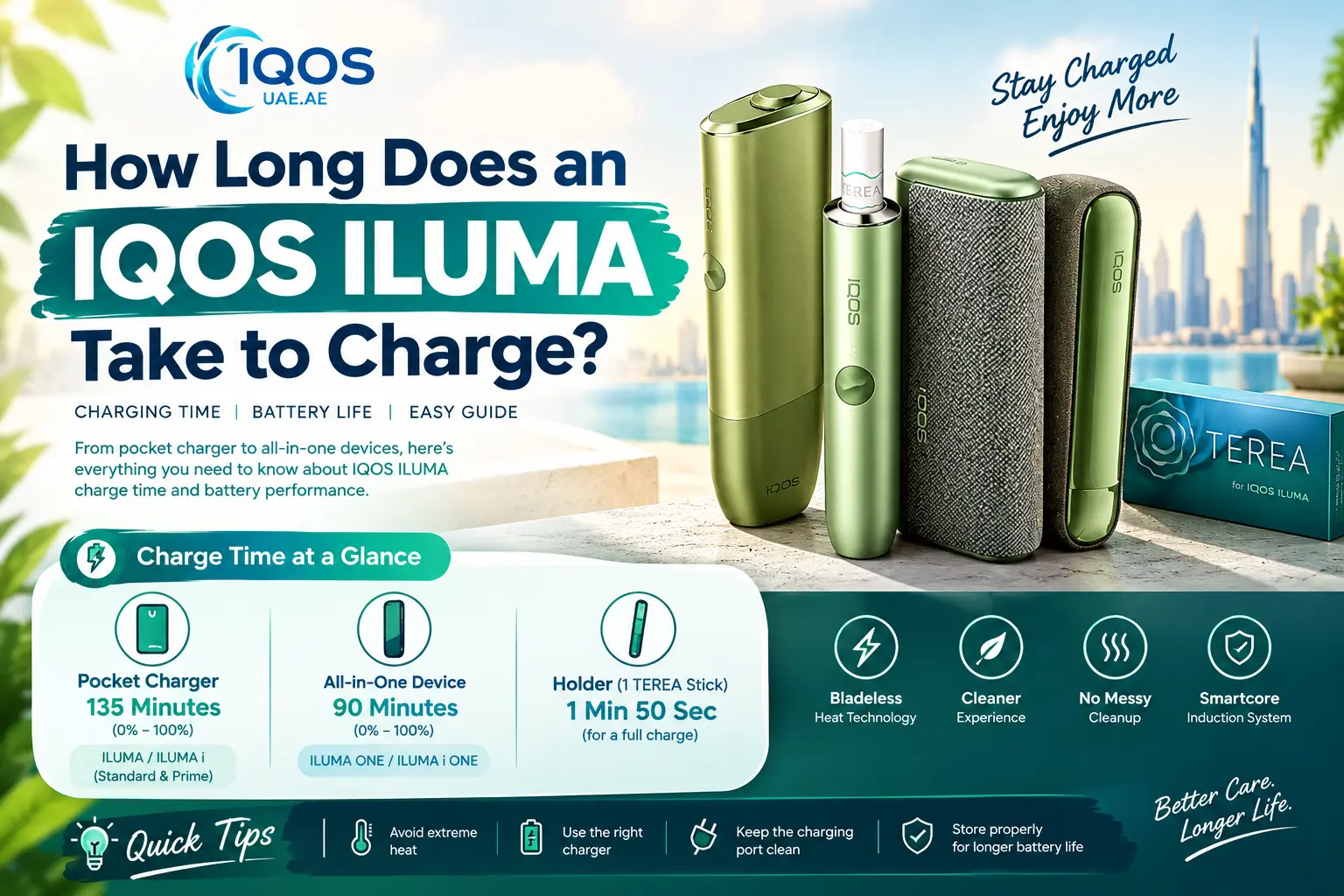
In short: An IQOS ILUMA or ILUMA i Pocket Charger takes 135 minutes (2 hours 15 minutes) to go from 0% to 100%. The all-in-one ILUMA ONE and ILUMA i ONE take about 90 minutes. The removable holder needs just 1 minute 50 seconds to power one TEREA stick.
All ILUMA devices run on the bladeless SMARTCORE INDUCTION SYSTEM. There is no heating blade to snap or clean. The battery still needs some care, though, especially in the UAE heat.
Quick Comparison Table: IQOS ILUMA Charging Times & Specs
Here are the exact charging times across the main ILUMA and ILUMA i models:
| IQOS ILUMA Model | Holder Charge (1st Stick) | Holder Charge (2nd Stick) | Pocket Charger Full Charge | Total Sessions | Best For |
| IQOS ILUMA ONE | N/A (All-in-One) | N/A | 90 mins | ~20 sessions | Portability & travel |
| IQOS ILUMA Standard | 1 min 50 sec | 3 mins 25 sec | 135 mins | ~20 sessions | Daily classic use |
| IQOS ILUMA Prime | 1 min 50 sec | 3 mins 25 sec | 135 mins | ~20 sessions | Premium style & wrap cover |
| IQOS ILUMA i ONE | N/A (All-in-One) | N/A | 90 mins | ~20 sessions | Touchscreen simplicity |
| IQOS ILUMA i Standard | 1 min 50 sec | 3 mins 25 sec | 135 mins | ~20 sessions | Flexible draw & Pause Mode |
| IQOS ILUMA i Prime | 1 min 50 sec | 3 mins 25 sec | 135 mins | ~20 sessions | Flagship features & Touch Screen |
How to Charge IQOS ILUMA Devices
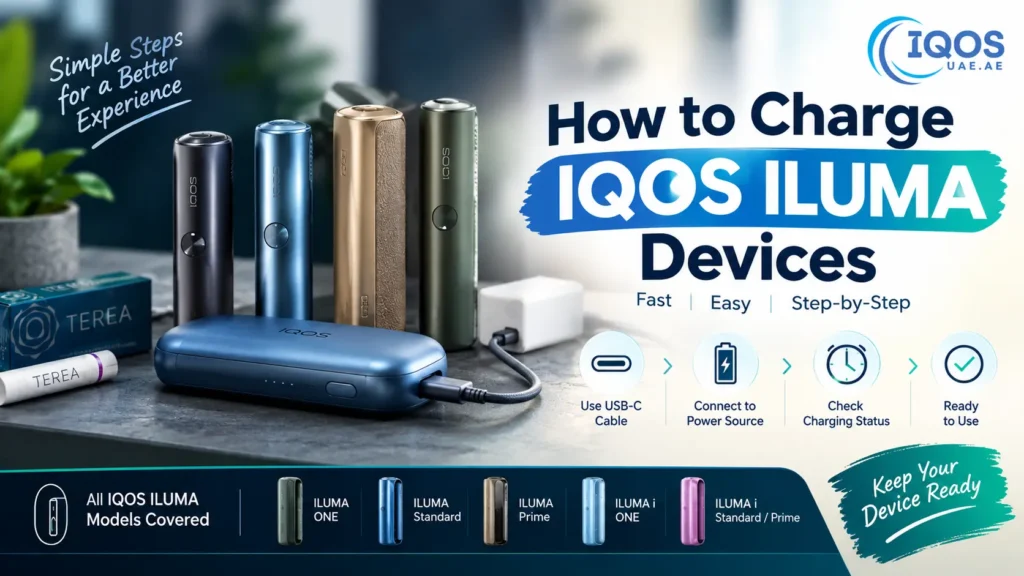
How to Charge IQOS ILUMA Devices
A few good charging habits go a long way. Here is how to charge each device type properly:
-
ILUMA ONE and ILUMA i ONE (All-in-One)
- Process: Plug the official USB-C cable straight into the charging port at the bottom of the device, then connect it to an approved AC power adapter.
- Status Indicators: The status strip lights pulse while charging is in progress and turn solid white once the battery reaches full capacity.
-
ILUMA and ILUMA i Pocket Charger (Standard & Prime)
- Process: Plug the charging cable directly into the Pocket Charger. You can charge the Pocket Charger with the holder placed inside or charging separately outside.
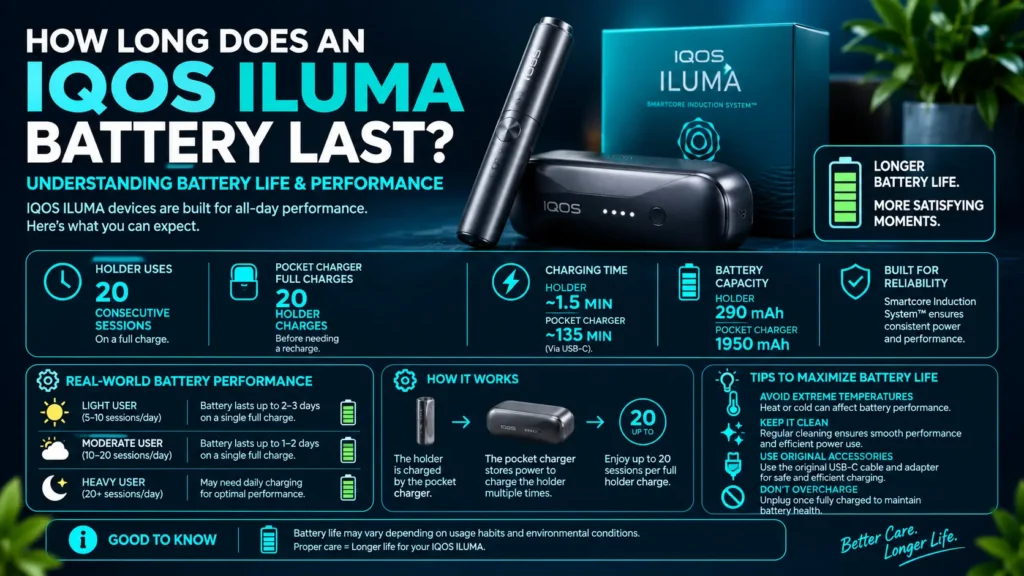
- Status Indicators: The light strip on the Pocket Charger pulses white during charging. When all four status lights remain solid white, your Pocket Charger is fully powered and ready for up to 20 holder recharges.
Battery tip: Top up your Pocket Charger often. Try not to wait until it is completely empty.
IQOS ILUMA Charging Time: Complete Model Breakdown
Knowing your model’s exact charging speed makes it easy to plan your day, whether you are in Dubai, Abu Dhabi, or anywhere else in the Emirates.
ILUMA & ILUMA i Standard / Prime (Two-Piece Models):
These setups feature a separate holder and Pocket Charger:
- Holder Charge (1st Stick): Takes 1 minute 50 seconds for a single session.
- Holder Charge (2nd Stick): Requires an additional 3 minutes 25 seconds.
- Holder Full Recharge (0% to 100%): Takes 5 minutes 15 seconds if completely drained, covering two consecutive uses.
- Pocket Charger Full Charge: Requires 135 minutes (2 hours 15 minutes) via an official wall adapter.
ILUMA ONE & ILUMA i ONE (All-in-One Models):
These compact single-unit devices integrate the battery directly into the main body:
- Full Charge Duration: Takes approximately 90 minutes from 0% to 100%.
- Battery Capacity: Delivers up to 20 consecutive sessions on a single full charge, keeping you going all day without stopping to recharge.
How Long to Charge IQOS ILUMA the First Time
When you unbox a new device, do not start using it right away. It ships with only a partial charge. Here is what to do:
- Unpack and check. Take out your device, the USB-C cable, and the official IQOS AC power adapter.
- Charge fully. Plug the device into a wall outlet before your first session. For how long to charge IQOS ILUMA the first time, plan on 90 minutes for ONE models. Plan on 135 minutes for Standard or Prime Pocket Chargers.
- Check the lights. Wait until the LEDs stop pulsing and stay solid white. That means you are at 100%.
- Start your first session. Insert a TEREA stick and enjoy.
Understanding Battery Life & Performance
Understanding Battery Life & Performance
Battery life is not just about numbers. It also depends on how you use the device, where you keep it, and what the weather is like.
What affects battery life:
- How often you use it: More sessions drain the battery faster.
- Extra features: The Prime’s smart notifications and vibration use a little more power.
- Temperature and storage: Extreme heat or cold can lower efficiency.
How to keep your battery healthy:
- Check the LED indicators now and then.
- Do not leave the device fully drained for long periods.
- Follow the right charging routine for your model.
Common Battery & Charging Issues
Even good devices have the odd hiccup. Here is how to deal with the common ones.
Device not charging
- Check that the charger and cable are not damaged.
- Gently clean the device and charger port.
Slow charging
- Use only the original charger.
- Avoid charging in very hot or very cold places.
Battery drains quickly
- Cut back on back-to-back sessions.
- Turn off extra features if you use a Prime device.
LED indicators not working
- Restart the device.
- If the light still looks wrong, contact authorized support.
Step-by-Step Guide: How to Use IQOS ILUMA Correctly
Thanks to Smartcore Induction technology, using the device is simple:
- Insert a TEREA stick. Slide it straight down into the filter line. Do not twist it.
- Let it start. Heating begins on its own with Auto-Start. If it does not, press and hold the holder button (or the button on ONE models) for 1 second until it vibrates.
- Wait for the vibration. The status lights pulse while the device heats. When it vibrates a second time and the lights turn solid, your session is ready.
- Enjoy the session. Take slow, steady draws. On the newer “i” series, the Touch Screen shows the time left. It also lets you use Pause Mode if you need a quick break.
- Know when it ends. The device vibrates twice when 30 seconds or 2 puffs remain.
- Remove and store. Pull the used TEREA stick straight up and put it in a bin. Then place the holder back in the Pocket Charger. This keeps your IQOS ILUMA battery life in Dubai ready for the next round.
Frequently Asked Questions (FAQ)
How long to charge IQOS ILUMA for the first time?
Charge your device fully before its first use. That takes 90 minutes for ILUMA ONE models. It takes 135 minutes for Standard or Prime Pocket Chargers.
What do the LED lights on IQOS ILUMA mean?
- Pulsing white: The device is charging or heating up.
- Solid white: It is fully charged or ready to use.
- Blinking yellow: The battery is fully drained. Charge it right away.
- Blinking red: There is a hardware or heat error. Let the device cool down. You can also reset it by holding the button for 10 seconds.
Can I charge IQOS ILUMA with a phone charger?
You can use a standard USB-C cable. Still, we strongly recommend the official IQOS power adapter. Some high-wattage fast phone chargers and uncertified cables slow down charging or make the device overheat.
Does UAE heat damage IQOS ILUMA battery life?
Yes. Direct UAE sun, or a hot parked car, can cause thermal throttling. This cuts the charge you get per cycle. It also shortens the battery’s overall life. Keep your device in an air-conditioned room or a protective pouch.
Final Thoughts
Charging your device the right way keeps it running well every day. Maybe you like the simple ILUMA ONE. Maybe you prefer the touch screen on the ILUMA i Prime. Either way, stick to official chargers and keep the device away from extreme heat. Your battery will thank you.
Ready to grab a new device or upgrade your setup? Browse our shop IQOS UAE. You get fast 1-2 hour express delivery across Dubai.
Warning: This product contains nicotine. Nicotine is an addictive substance. Not suitable for non-smokers, pregnant women, or persons under 18.