

How to Fix IQOS TEREA Japan – Complete Troubleshooting Guide

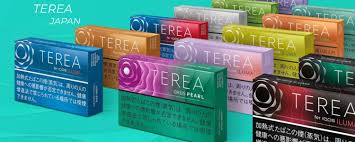
IQOS TEREA Japan sticks are designed specifically for IQOS ILUMA devices, using advanced induction heating technology instead of the traditional blade system. While this system reduces many common issues found in older IQOS models, users can still face problems such as no heating, weak vapor, charging issues, or poor taste.
This detailed guide will help you understand and fix the most common problems related to IQOS TEREA Japan and your IQOS ILUMA device.
Understanding IQOS TEREA Japan System
Before fixing any issue, it’s important to understand how the system works.
Unlike older HEETS sticks, TEREA sticks contain a metal heating element inside the stick itself. The IQOS ILUMA device heats the tobacco through induction rather than direct contact. Because of this:
- The device only works with TEREA sticks
- No blade means less breakage and cleaning
- Most issues are related to battery, insertion, or stick quality
Knowing this helps you troubleshoot correctly.
1. Device Not Heating the TEREA Stick
Possible Causes:
- Battery is empty
- Stick inserted incorrectly
- Wrong stick type
- Device needs reset
Fix:
Start by checking the battery. If your IQOS ILUMA is not charged, it will not heat the TEREA stick. Charge the device fully and try again.
Next, check how the stick is inserted. Always insert the TEREA stick gently but firmly until it reaches the marked line. Do not twist or force it.
Make sure you are using original TEREA sticks (Japan version or compatible). The device will not work with HEETS or other sticks.
If the problem continues, perform a reset:
- Press and hold the button for about 10 seconds
- Wait until the lights blink
- Try again
This reset often solves minor system errors.
2. IQOS Not Turning On
Possible Causes:
- Fully discharged battery
- Internal glitch
- Charging issue
Fix:
Plug your device into a charger and leave it for at least 20–30 minutes. If the battery is completely drained, it may take a few minutes before lights appear.
If there is still no response, try a different charging cable or adapter. Sometimes the issue is not the device but the charger.
You can also try resetting the device after charging.
If the device still does not turn on, the battery may be damaged and require replacement.
3. Weak Vapor or Low Smoke
Possible Causes:
- Low battery
- Old or used TEREA stick
- Short or fast puffs
- Device temperature issues
Fix:
Charge the device fully. Low battery often results in weak vapor production.
Always use a fresh TEREA stick. These sticks are designed for single use only. Reusing them will result in poor vapor and bad taste.
Take slow, steady puffs instead of quick ones. The device needs time to heat the tobacco properly.
Also, avoid using the device in extremely hot or cold environments. Temperature can affect performance.
4. Bad Taste or Burnt Flavor
Possible Causes:
- Dry or expired TEREA sticks
- Improper storage
- Overuse of device
- Residue inside chamber
Fix:
Check your TEREA sticks. If they have been exposed to air or humidity, the tobacco quality may degrade.
Store your sticks in a cool, dry place and keep them sealed.
Allow time between sessions. Continuous use can overheat the system and affect taste.
Even though ILUMA devices don’t require heavy cleaning, you should still check the chamber occasionally for dust or debris and clean it gently.
5. TEREA Stick Not Fitting Properly
Possible Causes:
- Broken stick inside chamber
- Incorrect insertion
- Manufacturing defect in stick
Fix:
Inspect the chamber. Sometimes a small piece of a previous stick may remain inside, blocking proper insertion.
If you find any debris, remove it carefully using a non-metal tool.
Try another TEREA stick from a different pack. Sometimes a single defective stick can cause issues.
Always insert the stick straight and avoid bending it.
6. Device Blinking Red or White Light
Possible Causes:
- System error
- Temperature issue
- Battery problem
Fix:
If the device shows a red blinking light, perform a reset by holding the button for 10 seconds.
If the light is white and blinking, the device may be outside its operating temperature. Let it cool down or warm up to room temperature before using.
Make sure the battery is charged, as low battery can also trigger warning lights.
7. IQOS Not Charging Properly
Possible Causes:
- Dirty charging contacts
- Faulty cable
- Damaged battery
Fix:
Check the charging port and contacts. Dust or dirt can prevent proper charging. Clean them gently with a dry cloth.
Use a different cable and adapter to rule out accessory issues.
Avoid charging in very hot environments, as this can affect battery performance.
If the device charges very slowly or not at all, the battery may be worn out.
8. Auto-Start Not Working
Possible Causes:
- Incorrect stick insertion
- Feature disabled
- Sensor issue
Fix:
Make sure the stick is inserted correctly and fully.
If your device supports app connectivity, check if Auto-Start is enabled.
Try starting manually by pressing the button.
If the issue persists, reset the device.
9. Device Overheating
Possible Causes:
- Continuous use
- High ambient temperature
- Internal fault
Fix:
Allow the device to cool down between sessions.
Avoid using it in direct sunlight or hot environments.
If overheating happens frequently, stop using the device temporarily and let it rest.
10. No Airflow or Hard Draw
Possible Causes:
- Blocked airflow
- Debris inside chamber
- Damaged stick
Fix:
Check the airflow path and ensure nothing is blocking it.
Blow gently through the device to clear any blockage.
Use a fresh TEREA stick and avoid damaged ones.
Important Safety Tips
- Do not open or disassemble the device
- Do not use water to clean it
- Avoid using non-compatible sticks
- Keep away from extreme heat or moisture
- Do not reuse TEREA sticks
Following these tips will help prevent most problems.
When You Should Replace the Device
Sometimes, fixing is not possible. Consider replacing your IQOS device if:
- It does not turn on even after charging
- It shows constant red lights
- It fails to heat consistently
- Battery drains very quickly
- Physical damage is visible
Final Thoughts
Fixing IQOS TEREA Japan issues is usually simple if you understand how the system works. Most problems are caused by low battery, incorrect stick usage, or minor device errors.
By following proper usage habits—like using fresh sticks, charging correctly, and avoiding extreme temperatures—you can enjoy a smooth and consistent experience.
While IQOS ILUMA devices are more advanced and require less maintenance than older models, they are still electronic devices and need proper care