

How to Activate IQOS ILUMA One Kit

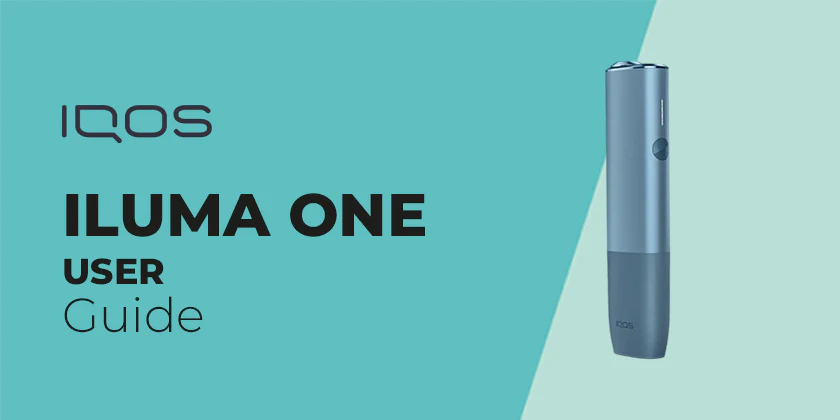
The IQOS ILUMA One Kit is a modern heated tobacco device designed to provide a cleaner alternative to traditional smoking. Unlike older IQOS models, the ILUMA One uses advanced induction heating technology and specially designed tobacco sticks, which eliminates the need for blades and reduces maintenance.
If you’re new to this device, you might wonder how to “activate” it. Unlike simple draw-activated systems, the IQOS ILUMA One requires a manual activation process using a button. However, the process is still very straightforward once you understand the steps.
This detailed guide will walk you through everything—from unboxing and setup to activation, usage tips, troubleshooting, and safety considerations.
What Does “Activation” Mean for IQOS ILUMA One?
For the IQOS ILUMA One, activation involves:
- Turning on the device
- Inserting a compatible tobacco stick
- Pressing the button to start heating
Unlike vape devices, this system uses controlled heating instead of liquid vaporization, which is why activation requires a button.
What You Need Before Activation
Before you begin, make sure you have:
- A fully charged IQOS ILUMA One device
- Compatible tobacco sticks (TEREA sticks are typically used)
- A clean and undamaged device
Step-by-Step: How to Activate IQOS ILUMA One Kit
1. Charge the Device Fully
Before first use, charging is essential.
Steps:
- Connect the device to a charger using the provided cable
- Plug into a power source
- Wait until the LED indicator shows full charge
Why this matters:
The device needs sufficient power to heat tobacco properly. Without it, activation won’t work.
2. Turn On the Device
To power on the IQOS ILUMA One:
- Press and hold the button for about 4 seconds
- The device will vibrate and the LED light will turn on
This indicates the device is now active and ready for use.
3. Insert the Tobacco Stick
Insert a compatible stick into the top of the device.
- Use only sticks designed for ILUMA (like TEREA)
- Insert gently without forcing
- Ensure it sits properly inside
Unlike older IQOS devices, there is no blade, so insertion is smoother and safer.
4. Start Heating (Activation Step)
Now comes the main activation step.
- Press and hold the button for about 1 second
- The device will vibrate and the LED will start pulsing
This means:
- Heating has started
- The tobacco stick is being prepared
5. Wait for Preheating
The device takes about 20 seconds to heat up.
- You’ll feel a vibration when ready
- The LED light will become steady
Now the device is fully activated and ready to use.
6. Inhale and Use
Once activated:
- Take gentle puffs from the tobacco stick
- Avoid strong or aggressive inhalation
Each session typically lasts:
- Around 14 puffs or
- About 5–6 minutes
7. End of Session
When your session is about to end:
- The device will vibrate again
- LED may blink to indicate remaining time
After finishing:
- Remove the used stick
- Dispose of it properly
Tips for Best Activation and Performance
Use Only Compatible Sticks
The ILUMA One is designed for specific tobacco sticks.
- Using the wrong type may prevent activation
- It can also damage the device
Take Smooth, Controlled Puffs
- Avoid quick or strong inhales
- Gentle draws improve consistency and flavor
Keep the Device Charged
- Recharge regularly
- Don’t let the battery fully drain too often
Store Properly
- Keep in a cool, dry place
- Avoid extreme temperatures
Common Problems and Solutions
1. Device Not Turning On
Possible causes:
- Battery drained
- Button not pressed correctly
Solution:
- Charge the device
- Press and hold the button longer
2. Heating Not Starting
Possible causes:
- Stick not inserted properly
- Device not powered on
Solution:
- Reinsert the stick
- Turn the device on again
3. Weak Experience
Possible causes:
- Low battery
- Incorrect puffing technique
Solution:
- Charge fully
- Use slow, steady puffs
4. Device Not Vibrating
Possible causes:
- Battery issue
- Internal malfunction
Solution:
- Recharge
- Restart the device
Safety Considerations
It’s important to clearly understand the risks, especially for younger users.
The IQOS ILUMA One uses real tobacco, which means:
- It contains nicotine (highly addictive)
- It can affect brain development in teens
- It is not risk-free, even though it produces less smoke
While it may reduce some harmful byproducts compared to cigarettes, it is still a nicotine product.
Advantages of IQOS ILUMA One Activation System
- Simple one-button control
- No blade cleaning required
- Faster heating time
- Consistent performance
These features make it easier to use than older heated tobacco devices.
IQOS ILUMA One vs Other Devices
Compared to Vapes:
- Uses real tobacco instead of liquid
- Requires button activation
Compared to Older IQOS Models:
- No blade system
- Less maintenance
- More reliable heating
Final Thoughts
Activating the IQOS ILUMA One Kit is simple once you understand the process. It involves:
- Charging the device
- Turning it on
- Inserting a tobacco stick
- Pressing the button to start heating
- Waiting for readiness
- Inhaling to use
While the process is slightly more involved than draw-activated devices, it remains easy and efficient.