

Troubleshooting Overheating in TEREA & ILUMA Devices

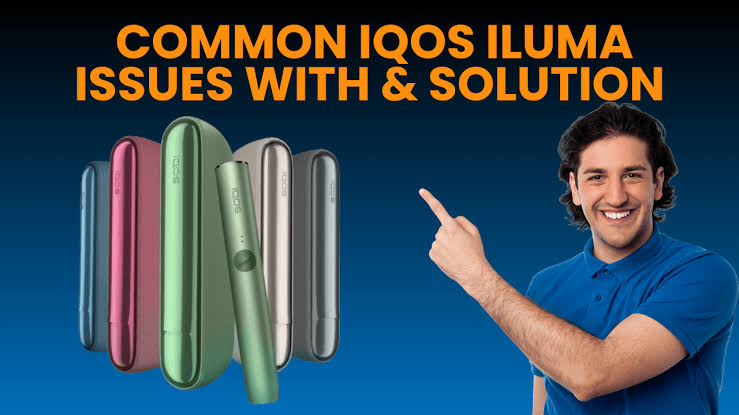
Overheating is one of the most common issues reported by users of TEREA-compatible ILUMA devices. While these devices are designed with built-in temperature management systems, excessive heat can still occur under certain conditions. A device that becomes unusually hot may affect performance, reduce battery life, trigger safety shutdowns, or create an uncomfortable user experience.
Understanding why overheating happens and how to address it can help maintain device performance and extend its lifespan. This guide explains the common causes of overheating, warning signs to watch for, troubleshooting methods, and preventive maintenance practices.
Understanding Normal Heat vs. Overheating
ILUMA devices use induction-based heating technology to warm specially designed tobacco sticks. During operation, some warmth is expected and is considered normal. The device’s exterior may become slightly warm, especially after a session.
However, overheating occurs when the device becomes significantly hotter than usual, displays warning lights, shuts down unexpectedly, or remains hot long after use has ended. Many modern devices include thermal protection systems that automatically stop operation when internal temperatures exceed safe limits.
Common Signs of Overheating
Recognizing overheating early can help prevent further problems. Common indicators include:
- Device feels excessively hot to the touch.
- Warning lights appear unexpectedly.
- Automatic shutdown during operation.
- Reduced performance or inconsistent heating.
- Battery draining faster than normal.
- Device taking longer than usual to cool down.
- Unusual odors coming from the device.
If any of these symptoms occur repeatedly, further inspection may be necessary.
Main Causes of Overheating
1. Consecutive Sessions Without Cooling Time
One of the most frequent causes of overheating is repeated use without allowing the device sufficient recovery time. Each heating session generates internal heat. When multiple sessions occur back-to-back, heat accumulates faster than it can dissipate.
Many reports indicate that using several sticks consecutively can activate the device’s thermal protection system. Allowing short cooling periods between sessions can significantly reduce heat buildup.
2. High Ambient Temperatures
Environmental conditions play a major role in device temperature. Electronic devices naturally struggle to release heat when the surrounding air is already warm.
Situations that can increase overheating risk include:
- Leaving the device in a parked vehicle.
- Exposure to direct sunlight.
- Using the device outdoors during very hot weather.
- Storing the device near heaters or heat sources.
When ambient temperatures are high, the cooling process becomes less effective, causing internal temperatures to rise more quickly.
3. Charging Issues
Charging habits can contribute to excessive heat generation.
Potential problems include:
- Using low-quality charging accessories.
- Charging in hot environments.
- Keeping the device plugged in for extended periods.
- Charging immediately after intensive use.
Battery charging naturally produces heat. When combined with other factors, charging can push device temperatures beyond normal operating ranges.
4. Dust and Debris Accumulation
Although ILUMA devices use induction technology and require less maintenance than some earlier systems, dust and debris can still accumulate over time.
Common contaminants include:
- Pocket lint.
- Dust particles.
- Tobacco residue.
- Dirt from storage areas.
These materials may interfere with airflow, sensors, or heat distribution, forcing the device to work harder and generate more heat.
5. Firmware or Software Issues
Like many modern electronic devices, ILUMA products rely on software to manage temperature, battery performance, and heating cycles.
Outdated or malfunctioning firmware can sometimes cause:
- Incorrect temperature readings.
- Inconsistent heating behavior.
- Unexpected shutdowns.
- Thermal management errors.
Some users have reported improvements after performing software updates or device resets.
6. Battery Degradation
As rechargeable batteries age, their efficiency decreases. Older batteries may generate more heat during both charging and operation.
Signs of battery-related overheating include:
- Device becoming hot during charging.
- Rapid battery drain.
- Reduced charging capacity.
- Frequent thermal warnings.
If overheating continues despite troubleshooting, battery wear may be a contributing factor.
Immediate Troubleshooting Steps
If your device becomes unusually hot, follow these steps.
Step 1: Stop Using the Device
The first and most important action is to stop using the device immediately. Continuing operation while temperatures are elevated may increase stress on internal components.
Allow the device to rest until it returns to a normal temperature.
Step 2: Move to a Cooler Environment
Place the device in a cool, shaded area away from direct sunlight and heat sources.
Avoid:
- Refrigerators.
- Freezers.
- Ice packs.
- Water-based cooling methods.
Rapid temperature changes can potentially damage electronic components. Natural cooling is the safest option.
Step 3: Check for Warning Lights
Observe any blinking indicators or warning signals.
Certain light patterns may indicate:
- Temperature protection activation.
- Battery issues.
- Charging errors.
- Software faults.
Consult the device documentation to interpret specific warning patterns. Temperature-related warnings are often resolved after the device cools.
Step 4: Inspect the Device
Carefully examine the device for:
- Visible damage.
- Blocked openings.
- Dust buildup.
- Foreign objects.
Any obstruction that interferes with airflow or sensor operation should be addressed according to manufacturer recommendations.
Step 5: Review Recent Charging Habits
Ask yourself:
- Was the device recently charged?
- Was it charged in a hot environment?
- Was a third-party charger used?
- Was charging performed immediately after intensive use?
Adjusting charging practices may eliminate recurring overheating problems.
Step 6: Restart the Device
A restart or reset may clear temporary software glitches affecting temperature management.
After the device has cooled completely, perform a restart according to the manufacturer’s instructions and monitor its behavior during future use.
Long-Term Prevention Tips
Allow Cooling Breaks
Providing short intervals between sessions helps prevent heat accumulation and reduces strain on internal components.
Keep the Device Clean
Regular cleaning helps maintain efficient operation and prevents debris-related heating issues. Even devices with advanced induction systems benefit from periodic maintenance.
Store Properly
Store the device:
- Away from direct sunlight.
- In a dry environment.
- At moderate temperatures.
- Away from dust and moisture.
Proper storage significantly reduces overheating risk.
Monitor Battery Health
If the device is several years old and overheating becomes more frequent, battery degradation may be responsible. Persistent heat issues should not be ignored.
Keep Software Updated
Firmware updates often include performance improvements and thermal management enhancements. Users who experience recurring overheating should ensure their device software is current whenever updates are available.
When Professional Support Is Needed
While most overheating incidents can be resolved through basic troubleshooting, some situations require professional inspection.
Seek assistance if:
- Overheating occurs after every session.
- The device becomes dangerously hot.
- Warning lights persist after cooling.
- Charging consistently generates excessive heat.
- Physical damage is present.
- Battery swelling is observed.
Persistent overheating may indicate a hardware fault that cannot be safely resolved through routine maintenance.
Conclusion
Overheating in TEREA and ILUMA devices is typically caused by heat accumulation, environmental conditions, charging practices, debris buildup, software issues, or battery wear. Fortunately, most cases can be addressed through simple troubleshooting measures such as allowing cooling periods, maintaining cleanliness, avoiding extreme temperatures, and following proper charging practices.
By understanding the warning signs and taking preventive action, users can minimize overheating incidents, improve device reliability, and help ensure consistent long-term performance. Regular maintenance and attention to operating conditions remain the most effective ways to keep these devices functioning safely and efficiently.